Devices
Add a computer, name it, see if it is online, remove it.
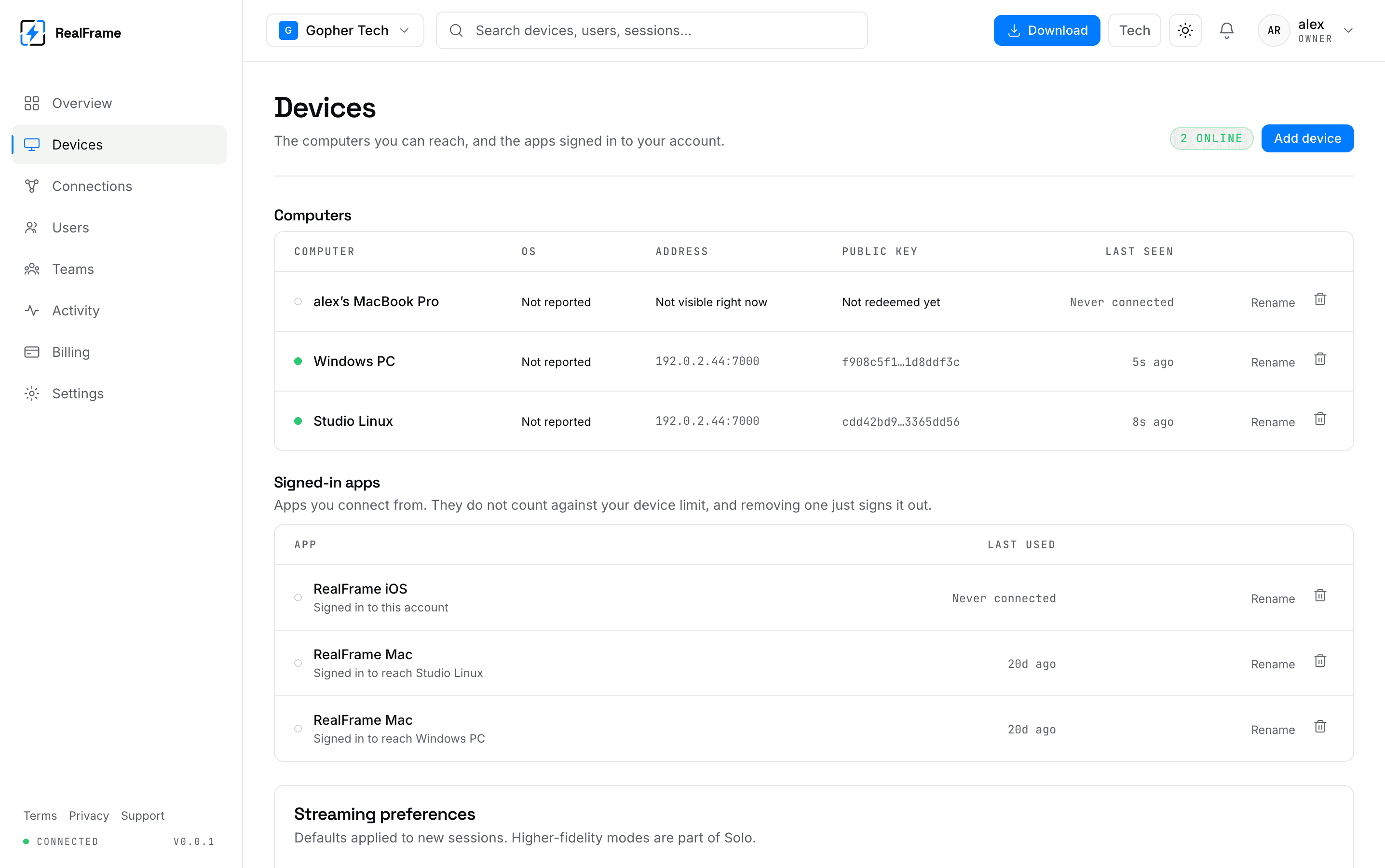
This is the list of computers you can reach, plus the apps signed in to your account. First place to look when a connection will not start.
Two lists
Computers can be shared. Each one uses a slot on your plan.
Signed-in apps are what you connect from. They are free and do not use a slot. Removing one just signs it out.
That answers the most common billing surprise.
The columns
| Column | Means |
|---|---|
| Dot and name | Green is online and reachable now. |
| OS | What it reported about itself. |
| Address | Where it was last seen. |
| Public key | Its identity, proved on every connection. |
| Last seen | When it last checked in. "Never connected" means it was made but never linked. |
Add a computer
Make the device
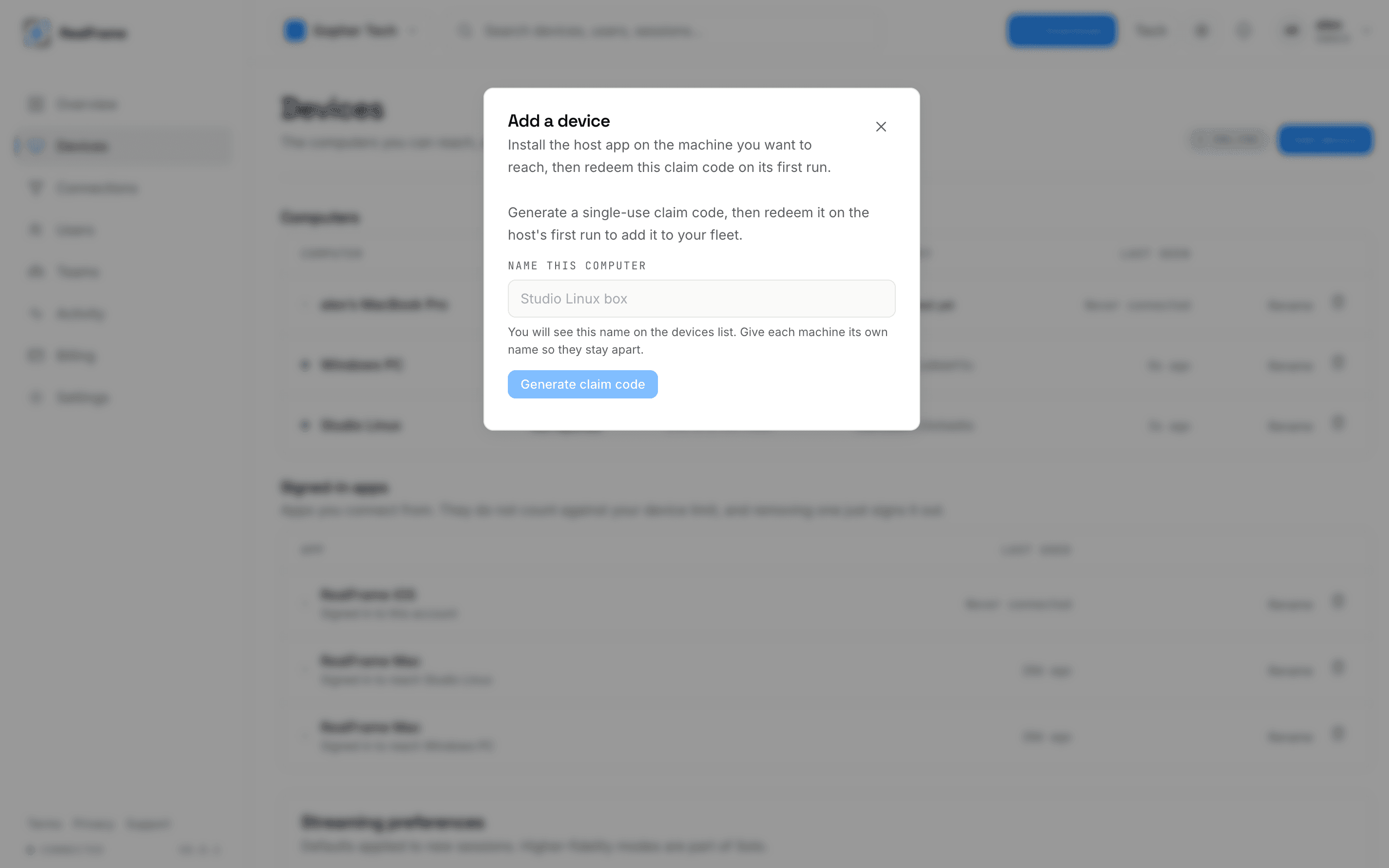
Add device, give it a name, generate a claim code. The code works once.
Redeem it on the machine
Install RealFrame there and give it the code on first run. On Linux that is
REALFRAME_CLAIM_CODE. See Linux.
Watch it turn green
Until then the row says "Not redeemed yet", which is normal in between.
Rename and remove
Rename is safe any time. Use names that mean something: office-pc,
studio-linux, render-01.
Remove does one of two things:
- A computer is unenrolled. It leaves the list, the slot is freed, and it cannot be undone.
- A signed-in app is signed out. It can sign back in any time.
Removing works whether or not the machine is online, which is what you want for a lost laptop.
Streaming preferences
At the bottom, defaults for new sessions across the whole account. The higher-quality ones are part of the paid plans. Per-computer settings still live on the computer. See host settings.
At the limit?
Free allows 2 computers. Remove one you do not use, or move up a plan. Apps you connect from are not the problem. See plans.